
Download FileZilla from:
https://filezilla-project.org/download.php?type=client
– Install the product.
– Once that FileZilla is installed click the File menu and choose Site Manager
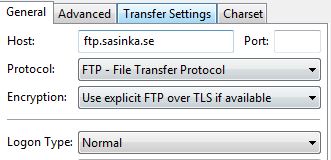
– Press New Site and in the menu in the Host field write: ftp.sasinka.se
– Logon type: Normal
– User name: your given user name
– Password: your password
– Press OK so save the FTP site.
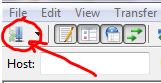
– Access the FTP by clicking the following button:
Choose your folder in the right pane and feel free to save your files and/or download them from/to your PC.
Have fun!
Please do not use the FTP to save more than 25GB! Thanx!